
Download Zeus Text Editor – free Windows programming editor, multi‑language code editor
Overview
Zeus Text Editor (also marketed as Zeus Publishing Text) is a Windows‑only programming editor that prides itself on being “language neutral.” Designed for developers who juggle multiple languages, Zeus supports a wide range of keyboard layouts—including Brief, Epsilon, Wordstar, and EMACS—so users can work in the environment they prefer. The core philosophy behind Zeus is to make coding simpler and more intuitive, whether you are writing C/C++, Java, Pascal, Clipper, Cobol, SQL, Fortran, or any other language that fits within its extensible framework. While the promise of a single tool for all languages is ambitious, Zeus delivers a rich set of productivity boosters: a Workspace Manager that visualises active projects at a glance, a background compiler that continues to type while compiling, and a macro recorder that captures repetitive keystrokes for instant replay. These features are bundled into a lightweight, responsive interface that avoids the bloat of heavyweight IDEs yet offers enough power for serious development work. For solo programmers who specialize in one language, a dedicated IDE might feel more tailored, but for teams and freelancers handling diverse codebases, Zeus provides a unifying platform that reduces context switching and streamlines project oversight.
Key Features
- Multi‑language support: Built‑in syntax highlighting and code completion for C/C++, Java, Pascal, Clipper, Cobol, SQL, Fortran, and extensible plug‑in architecture for additional languages.
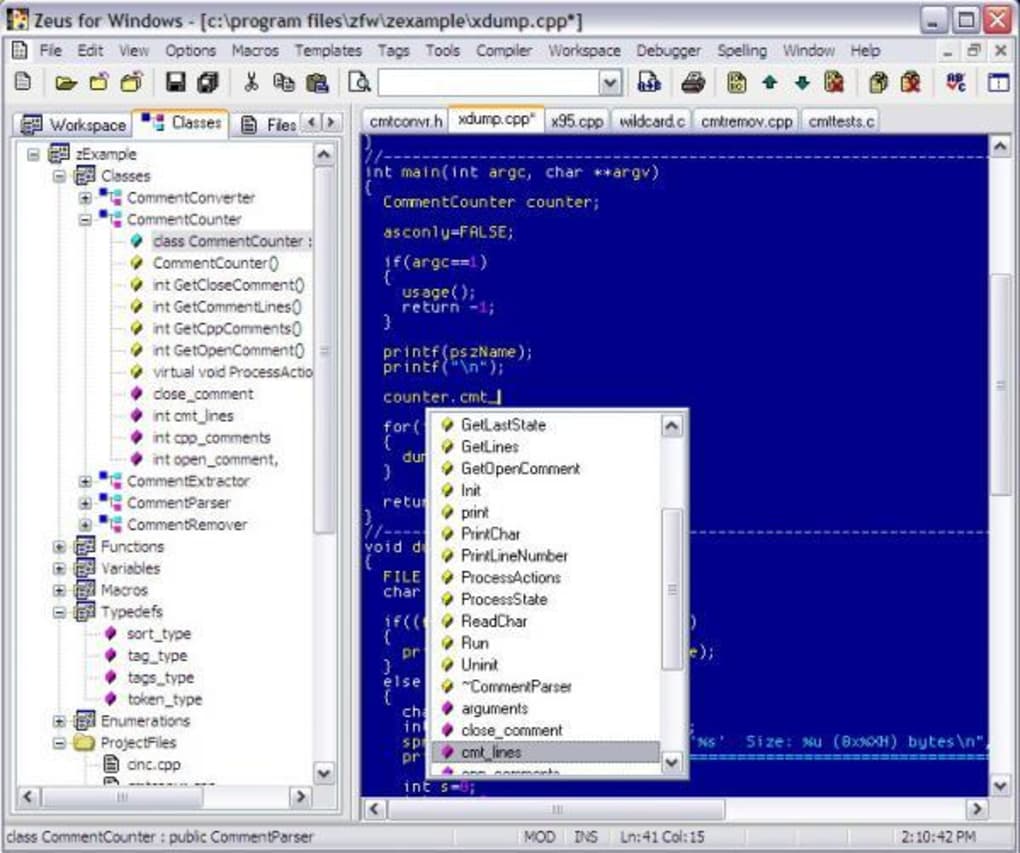
- Workspace Manager: Visual project dashboard that displays open files, folder hierarchy, and build status in real time.
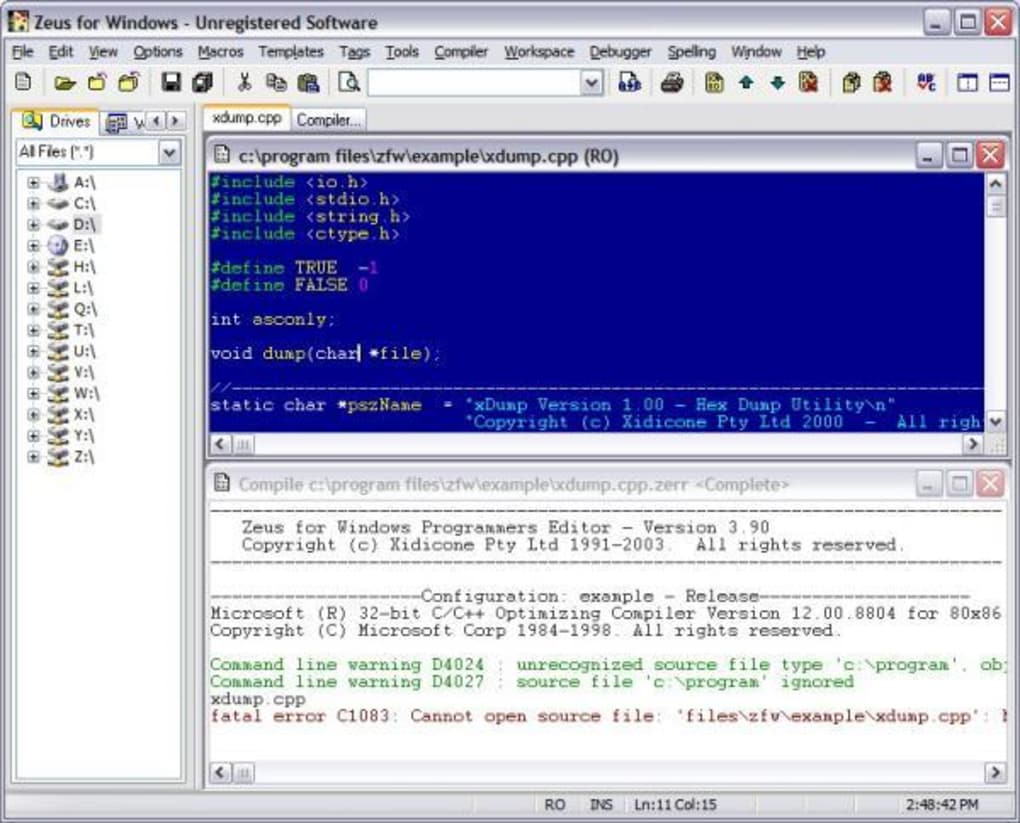
- Background compiler: Allows continuous typing while the compiler runs silently, reducing idle time between edits and builds.
- Keyboard macro recorder: Capture complex keystroke sequences and assign them to custom shortcuts for repetitive tasks.
- Multiple keyboard layouts: Full support for Brief, Epsilon, Wordstar, EMACS, and standard QWERTY, letting developers work with familiar key bindings.
- Integrated search & replace: Powerful regex‑enabled search across entire projects, with preview and selective replace.
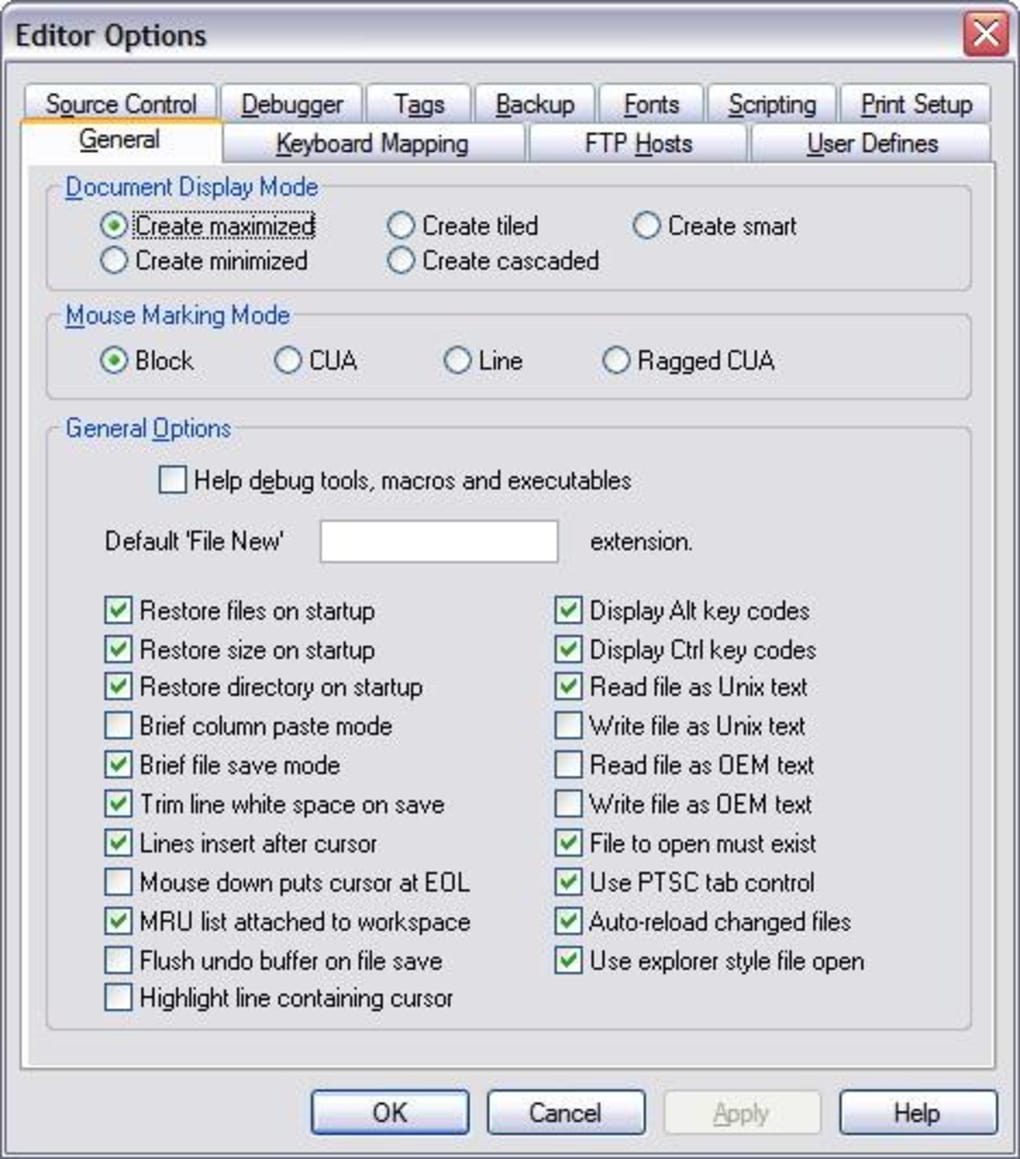
- Customizable UI: Themeable color schemes, dockable panels, and configurable toolbars to match personal workflow preferences.
- Lightweight footprint: Optimised for fast startup and low memory consumption, suitable for older hardware.
Beyond the listed capabilities, Zeus Text Editor also includes a built‑in file explorer, line numbering, code folding, and a simple debugger interface that can be paired with external debugging tools. The combination of these features makes Zeus a compelling choice for developers who need a reliable, all‑in‑one environment without committing to a massive IDE suite.
Installation, Usage & Compatibility
Installing Zeus Text Editor is straightforward. Download the installer from the official website, run the .exe file, and follow the wizard prompts. The installer automatically detects the appropriate system directories and registers file associations for supported source file extensions (e.g., .c, .java, .pas). After installation, launch Zeus from the Start menu or desktop shortcut.
First‑time users are greeted by a configuration wizard that lets you select your preferred keyboard layout, default language mode, and workspace location. The wizard also offers an optional import of existing project folders, enabling immediate access to ongoing work. Once the initial setup is complete, the main editor window appears with a clean toolbar, a file explorer pane on the left, and a status bar at the bottom displaying line/column numbers, encoding, and compiler status.
Zeus Text Editor is built exclusively for Windows platforms, supporting Windows 10, Windows 11, and Windows Server 2016‑2022 (both 32‑bit and 64‑bit). The software leverages native Windows APIs for file handling and UI rendering, ensuring smooth performance on both modern and legacy machines. While there is no native macOS, Linux, Android, or iOS version, the application can run under compatibility layers such as Wine on Unix‑like systems, though official support is limited.
Using Zeus effectively involves creating a new workspace or opening an existing project folder. The Workspace Manager then tracks all open files, compiler output, and macro recordings. To compile, simply press Ctrl+F9 (or use the toolbar button); the background compiler will start, and any syntax errors appear inline with red underlines and tooltips. Macro recording is initiated with Ctrl+Shift+R, and the recorded sequence can be saved to a custom shortcut via the Settings → Macros menu. Regular updates are delivered through an automatic update checker that notifies users of new releases, ensuring security patches and feature enhancements are applied without manual intervention.
Pros, Cons, FAQ & Conclusion
Pros
- Supports a wide range of programming languages out of the box.
- Workspace Manager provides clear project visibility.
- Background compilation minimizes downtime.
- Macro recorder boosts productivity for repetitive tasks.
- Low system resource usage compared with heavyweight IDEs.
- Customizable UI and multiple keyboard layouts for personal preference.
Cons
- Limited to Windows; no native macOS, Linux, Android, or iOS versions.
- Lacks advanced debugging tools found in dedicated IDEs.
- Interface may feel dated to users accustomed to modern IDE aesthetics.
- Single‑language specialists might prefer a more focused environment.
Frequently Asked Questions
Is Zeus Text Editor free to use?
Yes, Zeus Text Editor is offered as a free download for personal and commercial use, with optional paid support packages.
Can I add support for a language that isn’t listed?
Absolutely. Zeus includes a plug‑in architecture that allows developers to add syntax definitions, code snippets, and compile commands for virtually any language.
How does the background compiler affect performance?
The compiler runs in a separate thread, so typing remains responsive. On older machines you can adjust the compilation priority in Settings → Performance.
Is there an automatic update mechanism?
Yes. Zeus checks for updates at startup and prompts you to install the latest version, ensuring you always have the newest features and security fixes.
Can I use Zeus on a corporate network with restricted internet access?
The installer can be run offline, and updates can be downloaded manually from a separate machine and transferred via USB.
Conclusion & Call to Action
Zeus Text Editor delivers a compelling blend of versatility and efficiency for developers who need to switch between multiple programming languages without juggling several heavyweight IDEs. Its Workspace Manager, background compiler, and macro recorder address common productivity bottlenecks, while the low‑resource footprint keeps the experience smooth on a wide range of Windows machines. Although the Windows‑only limitation and modest debugging features may steer some specialists toward niche tools, the overall value proposition makes Zeus an excellent free option for freelancers, students, and small teams.
Ready to streamline your coding workflow? Download Zeus Text Editor now and experience a language‑neutral development environment that adapts to your needs.







